
Dental website builder
A website for dentists that follows the advertising rules
Answer quick questions about your practice. ElmSite writes and designs a dental website with your services, insurance, hours and booking, and never adds claims you didn't make.
Build and preview free · then $29.99/month for your SEO build · cancel anytime
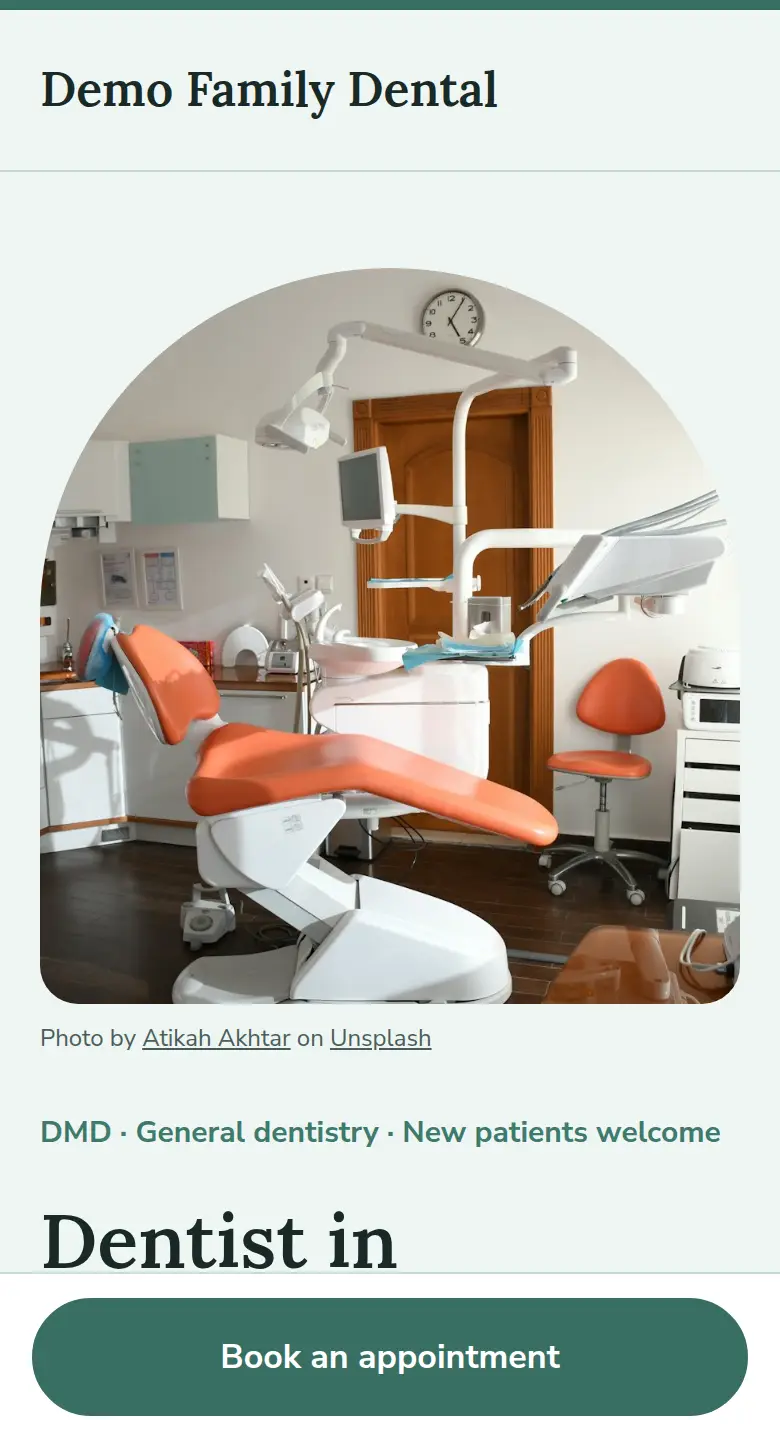
What goes on your dentist website
Built from your answers to dentists-specific questions. Everything it says about your business comes from your answers.
Book, call or message
An online booking link, a call button or a contact form: you choose the main action.
Services you offer
Checkups, fillings, crowns, root canals, implants, whitening, aligners, children's care and emergencies. Only the ones you tick.
General or specialist, said correctly
General practices are described as general dentistry. Specialist titles appear only if you confirm a specialty.
No hype, no invented reviews
No 'best dentist', no 'painless', no made-up testimonials or before-and-after results.
Insurance, hours, new patients
Your plans, office hours and whether you're taking new patients, in your own words.
Patient-safe contact form
The form asks visitors not to share health details. US sites include the Good Faith Estimate notice.
The difference
Not just a website. An SEO-optimized one.
Every ElmSite is set up following Google's own SEO guidance, and you can see the work. Before you go live, you get a preview of your Google result and a report card that explains each check in plain English.
- Title and heading with your service and city. The words people actually search for, e.g. "Anxiety Therapist in Cumming, GA".
- Description written from real searches. Your Google description uses local search terms, not guesses.
- FAQ from real Google questions. Answers to the "People also ask" questions for your trade.
- Business schema. Structured data that tells Google your business type, area, hours and profiles.
- Sitemap, robots and canonical tags. The technical basics, set up automatically.
- Fast and mobile-first. Lightweight static pages with alt text on every photo.
How it works: no coding needed
- Step 1 · about 5 minutes
Answer quick questions
Mostly quick picks, all optional. Your trade, city and business name are already filled in from the start.
- Step 2
Preview your site free
See your draft and its SEO report card. No card needed, and you can change anything.
- Step 3
Start your SEO build, then go live
Your SEO build runs the full SEO steps. You review your pages, then go live on name.elmpage.com or your own domain.
The SEO work you'll see
- During setup
Who's searching for you
See how many people in your area search for your kind of business each month, and for which terms.
- Before your SEO build
Google preview and report card
See how your page will look in Google, plus a checklist of every SEO check, each explained in plain English.
- In your SEO build
Google setup
An automatic sitemap, a guided Google Search Console connection and a Google Business Profile checklist.
- Every month
Your SEO report
Visitors, clicks, enquiries, Google impressions and keyword positions, with one suggestion to improve.
Simple pricing
No free trial, no SEO upsells, no contracts. Building and previewing is free.
Do it yourself
$29.99/month
Build and preview free. Pay when you start your SEO build, cancel anytime.
Done for you
+$49 one-time
We build and polish your site, and connect your domain.
Questions dentists ask
How much does a dental website cost?
ElmSite is $29.99/month, charged when you start your SEO build. That includes the AI-built site, hosting, your free name.elmpage.com address (or your own domain) and a monthly SEO report. If you'd rather we set it up for you, add the one-time $49 done-for-you setup.
Real Google question · checked Sep 27, 2026
How do I create a dental website?
Decide how patients should reach you (booking, call or message), list your services, insurance and hours, and check your state dental board's advertising rules. With ElmSite you answer quick questions and the site is written, designed and set up for Google. You review every word before it goes live.
Real Google question · checked Sep 27, 2026
What is the best dental website?
One that answers what new patients check first: what you treat, whether you take their insurance, whether you're taking new patients, where you are and how to book. It should load fast on a phone and stay within dental advertising rules.
Real Google question · checked Sep 27, 2026
Is the site HIPAA compliant?
ElmSite doesn't collect health information. The contact form asks visitors not to include health details, and it isn't meant for patient records or intake forms. Use your practice's own secure systems for those.
Can I call myself a specialist on the site?
Only if you choose 'Specialist practice' and your specialty. Otherwise the site describes you as a general dentist, as the ADA Code asks when general dentists list services. Check your state board's rules too.
Built for your trade
Each trade gets its own questions, layout, photos and Google business type. Any other small business can use the general version.
TherapistsCounselors, social workers, MFTs and psychologists in private practice.
RoofersRepair, replacement and storm work.
ContractorsRemodelers, builders and home-improvement pros.
HVACHeating, cooling and air quality.
LandscapersLawn care, design and seasonal work.
Personal trainersIn-person and online coaches.
Barbers & hair salonsBarbershops, hair salons and braiders.
PlumbersRepairs, drains and water heaters.
ElectriciansRepairs, panels and EV chargers.
CleaningHouse, office and move-out cleaning.
Nail salonsSalons and independent nail techs.
Car detailingShop and mobile detailers.
Dog groomersGrooming salons and mobile groomers.
Lash & makeup artistsLash, brow and makeup artists.
Tattoo & piercingTattoo artists and piercing studios.
Fitness studiosPilates, yoga, dance and martial arts.
Pet sitters & walkersPet sitting, dog walking and training.
EstheticiansFacials, peels, waxing and skincare.
Interior designersDesigners, decorators and stagers.
Home organizersDecluttering, closets and moves.
Food trucksMenus, schedules and catering.
- Any other small businessCafés, shops, consultants and every other local business.Use the general version →
Build your dentist website today
Answer the questions, see your site and its SEO report card for free. You only pay when you start your SEO build.
Build and preview freethen $29.99/month for your SEO buildNo contract, cancel anytime